
How to Track Your Crypto Portfolio For Beginners
rn A Beginner’s Guide to Staying Organized in Web3 rn Introduction: Don’t Let Your Crypto Get Lost in the Blockchain rn After buying your first cryptocurrencies like Ethereum, Bitcoin, or a few altcoins you’ll quickly realize that tracking what you own isn’t as straightforward as with...
/p>h1>A Beginner’s Guide to Staying Organized in Web3/h1>h2>Introduction: Don’t Let Your Crypto Get Lost in the Blockchain/h2>p>After buying your first cryptocurrencies like Ethereum, Bitcoin, or a few altcoins you’ll quickly realize that tracking what you own isn’t as straightforward as with traditional finance. There’s no single “account” where everything lives. Instead, your assets may be spread across centralized exchanges, decentralized wallets, and even multiple blockchains.
This guide will help you understand how to monitor your crypto portfolio, whether you want to track it manually or use automatic tools that connect directly to your wallet. We’ll focus on user-friendly platforms and methods that are reliable and safe for beginners.
What Does "Tracking Your Crypto Portfolio" Mean?
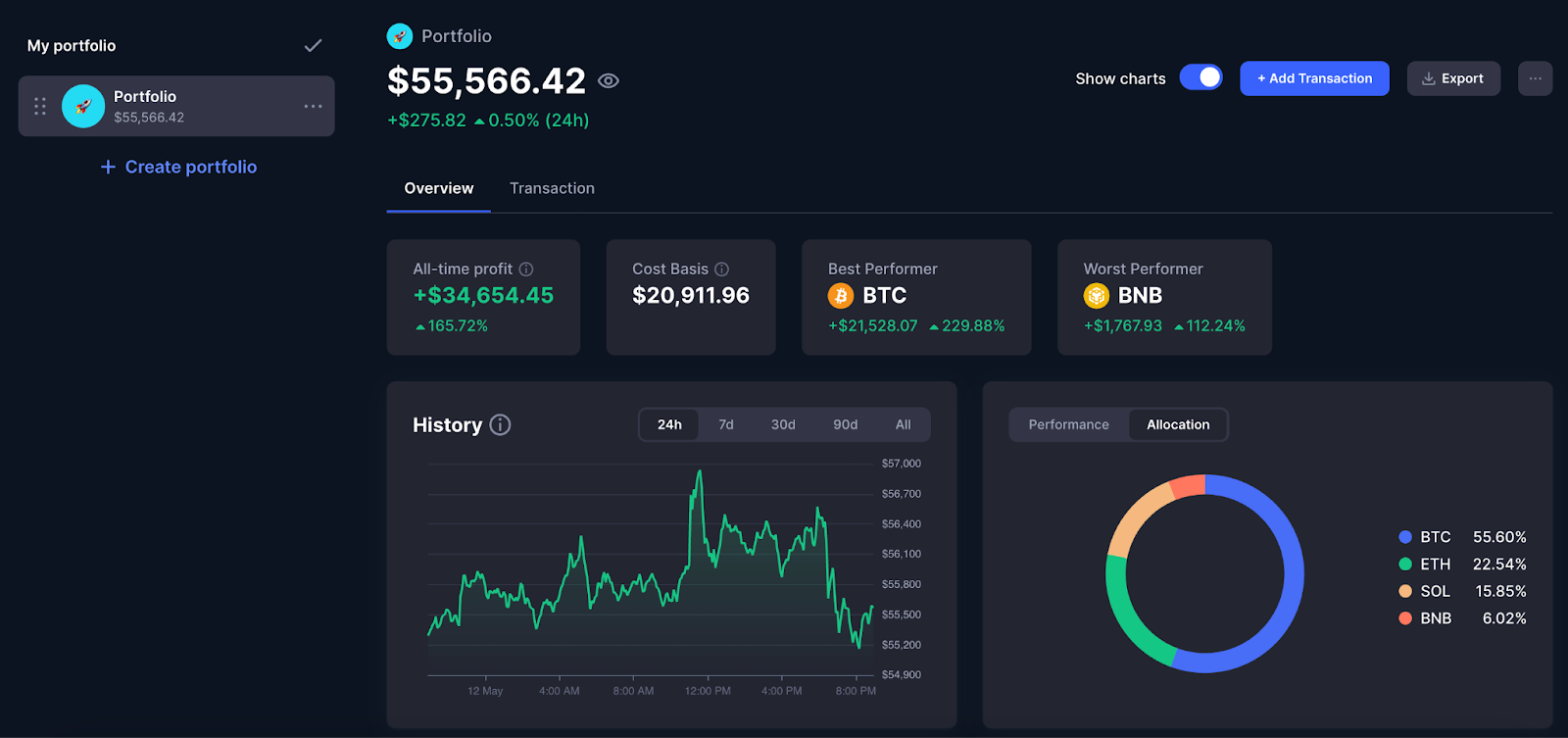
Tracking your crypto portfolio means keeping a clear, up-to-date record of:
Many tools also let you view your total profit or loss, your wallet balances across different blockchains, and even your exposure to sectors like DeFi or NFTs.
Depending on your style and setup, there are two main approaches:
Let’s break down both.
Option 1: Manual Tracking
Ideal for beginners or users on centralized exchanges
Manual tracking works best if you’re using platforms like Coinbase, Binance, or Kraken. You don’t need to connect a wallet or share any sensitive data you just log your purchases and check in on performance over time.
CoinMarketCap Portfolio
You can create a free account and add each of your crypto holdings manually. You’ll input the token name, amount, purchase price, and date. CoinMarketCap then calculates your current portfolio value and profit/loss automatically. You can even create multiple portfolios for example, one for long-term holdings and another for active trades.
CoinGecko Portfolio
CoinGecko offers a similar manual tool but with a cleaner interface. You can use it without signing in (data is stored locally), or create an account to sync your portfolio across devices. It tracks live prices and gives you a quick view of your portfolio performance at any time.
Benefits of Manual Tracking
Limitations
Option 2: Automatic Tracking
Best for self-custody wallets and DeFi users
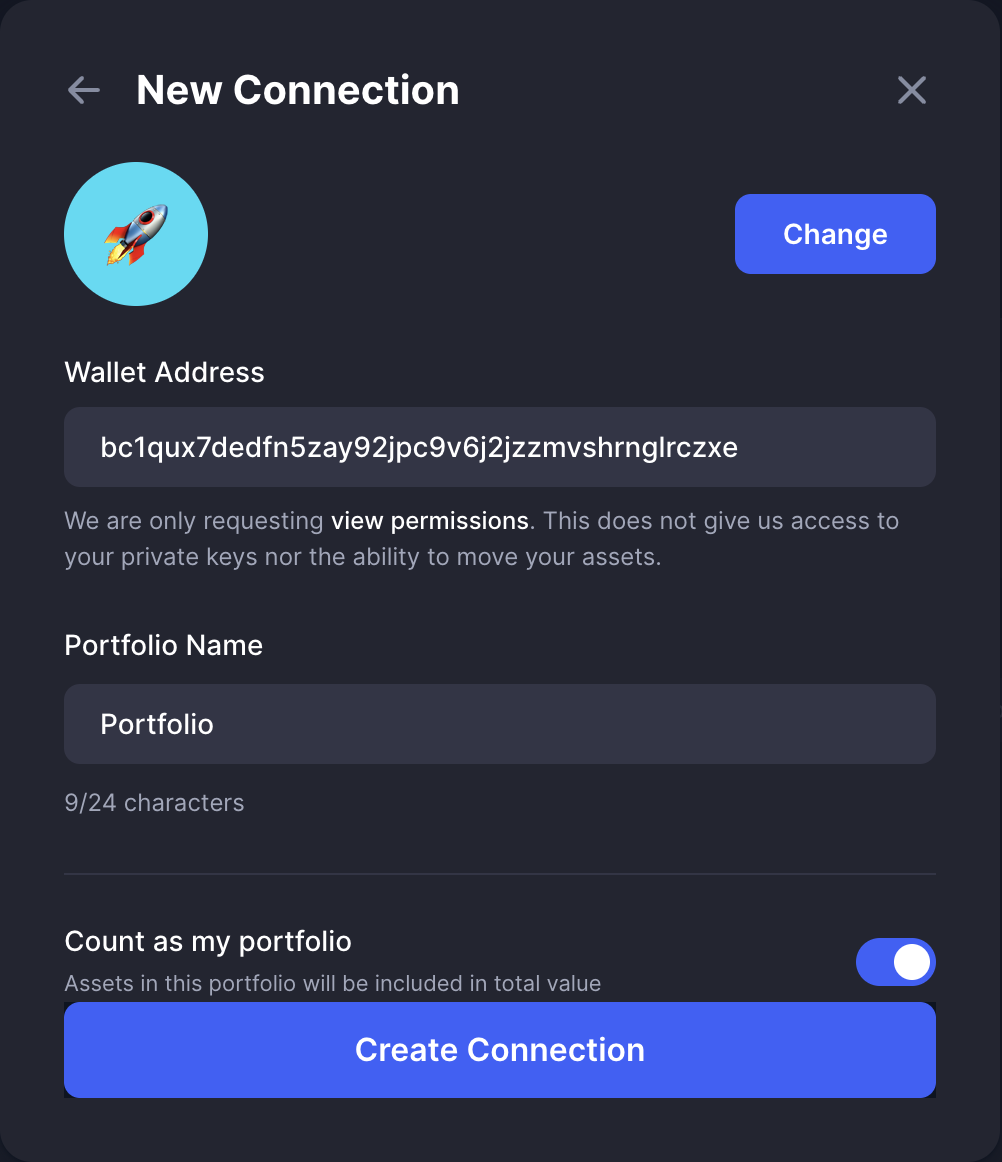
If you’re using wallets like MetaMask, Trust Wallet, or Phantom, you can automate portfolio tracking by connecting your wallet or pasting your public address into a tracking tool. These platforms scan the blockchain and show your balances no private keys needed.
How It Works
You visit a supported tracking tool, connect your wallet (or paste in your address), and the platform pulls your on-chain data. You’ll see a real-time view of your holdings, token balances, and often your activity in DeFi protocols or NFTs. Everything updates automatically.
This method is perfect for anyone using decentralized apps, holding tokens across multiple blockchains, or staking and farming in DeFi.
Top Tools for Automatic Tracking
CoinMarketCap Wallet Sync
This feature supports major chains like Ethereum and BNB Chain. You can connect your wallet to view your live balances within the same interface used for manual tracking. Their mobile app also includes price alerts and watchlists.
Zapper
Zapper provides a dashboard that works across chains like Ethereum, Arbitrum, and Polygon. Just paste in your wallet address to view all your tokens, NFTs, DeFi positions, and protocol exposure. You don’t need to connect your wallet unless you want to interact with apps directly.
Photo idea: Show Zapper's dashboard with a wallet's token and NFT balances.
DeBank
Designed for active DeFi users, DeBank supports multiple blockchains and shows advanced portfolio data like lending, borrowing, staking, and NFT holdings. It also supports Web3 profiles if you use multiple wallets or identities.
Final Tips for Tracking Your Portfolio
Conclusion
Keeping track of your crypto portfolio is a core habit for any serious investor or Web3 participant. Whether you prefer a hands-on approach or want real-time updates pulled directly from your wallet, there’s a tracking method that works for you.
Try a few of the tools in this guide, follow along with your wallet or screenshots, and stay in control of your assets no matter where they live on the blockchain.
- The tokens you ownbr>
- How much of each you holdbr>
- What you paid for thembr>
- What they’re worth nowbr>
- Manual tracking – You enter your trades and balances yourself.br>
- Automatic tracking – You connect a wallet or paste in your wallet address, and the platform reads your on-chain data for you.br>
- Simple and private no wallet connection neededbr>
- Great for learning the basics and tracking early tradesbr>
- Works well for smaller or less active portfolios
- You have to update it yourself after every tradebr>
- Doesn’t reflect on-chain activity like staking or DeFibr>
- Can become hard to manage if you’re very activebr>
- Start simple. Manual tracking is a great way to understand what you own.br>
- Switch to automatic tools as your portfolio grows or you start using DeFi.br>
- Use read-only tools that never ask for private keys or seed phrases.br>
- Track regularly. A consistent overview helps you make better decisions.br>